 ASTRAIONONLINE
Game guide
Everything you need to know, from your first flight to your flagship. The in-game tour also covers the basic controls.
The game is currently in Turkish. Interface names are given here in English; the in-game Turkish names are shown in brackets where useful.
First steps
- Sign up. A username and password are enough; we do not ask for an email address. Your username is only for logging in and nobody else sees it.
- Watch the story and choose your faction. Kraos or Elysar: the choice is permanent.
- Choose your pilot name. Everyone sees it in game and it cannot be changed later.
- First tour. You spawn next to your faction's base; a short tour introduces the interface.
Never share your password. Staff will never ask for it.
Controls
| Action | Phone | Desktop |
|---|---|---|
| Fly | Joystick, bottom left | WASD or arrow keys |
| Fly to a point | Tap empty space (hold and drag to follow your finger) | Click empty space (hold to follow the mouse) |
| Select target | Tap a creature or TARGET (HEDEF) | Click a creature, Tab / E |
| Attack / stop | FIRE (ATEŞ) | Space / F |
| Laser ammo | Laser button | 1–4 |
| Dash | Dash button | Shift |
| Collect | Collect button or tap a crate | C or click a crate |
| Switch loadout | 1/2 button | Q |
| Jump through portal | Jump button | J |
| Menu / Pilot Log | Top-left buttons | M / L |
| Chat | Chat button | Enter |
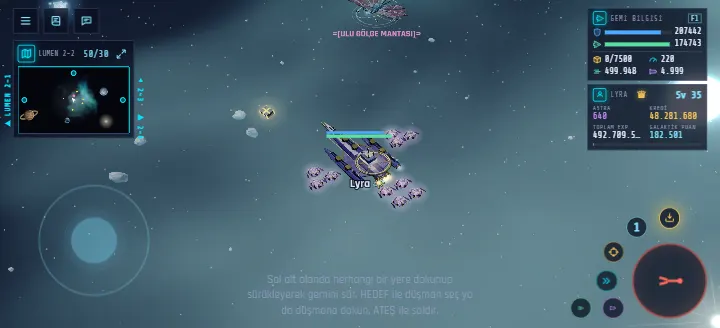
Tapping the mini map or the big map also flies your ship there. Panels can be moved and minimized; the joystick's position and size can be changed in Settings.
Combat
- Range band: your range is a little longer than the creatures'. Stay at the right distance and circle them to hit without being hit.
- Calm and hunter creatures: most creatures leave you alone unless you attack. Hunters chase whoever comes close; get away and stay out of range for a few seconds to lose them.
- Swarms: attacking one creature may pull in those nearby.
- Fleeing: a badly wounded creature tries to escape; chase it down.
- Rewards: the pilot who dealt the most damage gets the reward; in a group it is shared.
- Elders: every species has a large, tough Elder with bigger rewards and loot.
Ammo
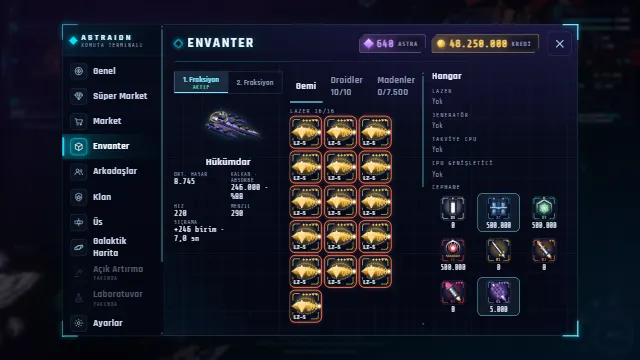
Lasers use four ammo types, X1 to X4; higher types deal more damage. Rockets R1–R4 fire automatically during an attack. X1, X2, R1 and R2 are bought with credits; the strongest types (X3, X4, R3, R4) with Astra. If you run out of ammo, the Emergency Supply in the Market's ammo tab at your base gets you going again.
Ship and equipment
- Ships, items and droids are sold in the Market; some require a minimum level.
- Changing equipment and buying ships is only possible in your base's safe zone.
- Each ship has two loadouts. Only the active loadout's shield recharges.
- Shields absorb part of the incoming damage; the rest hits the hull.
- Droids belong to you, not to your ship: they stay with you when you change ships and level up as you fight.
Repairs and destruction
If you take no damage for a few seconds, your shield and hull start to recharge on their own, much faster in your base's safe zone. In the radiation zone (beyond map edges that lead nowhere) the hull does not repair and you take heavy damage.
If your ship is destroyed you lose part of the ores in your cargo and a small part of your current level's experience; you never lose a level. You return to base after paying a repair fee.
Loot and ores
- A destroyed creature leaves a loot crate. For a while it belongs only to the pilot who dealt the most damage.
- Galaxy crates are scattered across the maps: credits, ammo and rarely Astra. Pick them up with Collect.
- Ores take up cargo space. Refine common ores into more valuable ones to free up space.
- Ores are sold at your base's Ore Trade module.
Quests
Take quests from the Quest Module at your base; you can run 4 at once. When you reach the goal the quest becomes "ready to turn in" and you collect the reward back at base. Quests are the fastest way to level up; some send you to new areas using coordinates.
Map and portals
- Portals lead to neighbouring maps. After starting a jump there is a short countdown, during which you can fly freely.
- Fly beyond a map edge that has a neighbour and wait a few seconds to cross over. Taking damage or firing resets the countdown.
- Deeper sectors and Umbra have level requirements.
- Map coordinates (e.g. 42/18) help you find quest points.
Player vs player
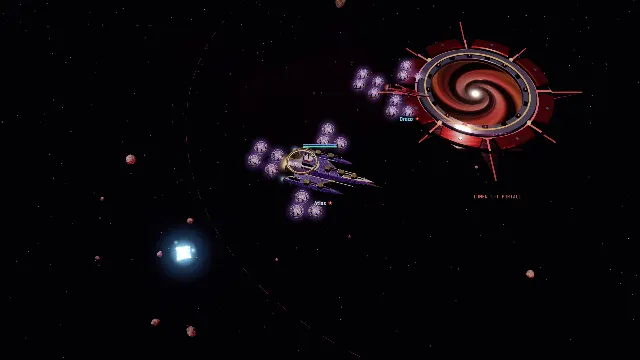
There is no cross-faction combat in the first sector. Elsewhere and in the War Zone you can attack pilots of the rival faction, and they can attack you. The starter ship cannot be attacked and cannot attack. You are protected in your own base's safe zone; portal areas protect you only when you are not in combat.
Groups and clans
- Group: up to 8 pilots. Creature rewards are split equally among online members. The leader can mark a rally point on the map.
- Clan: found your own clan or apply to clans looking for pilots. The leader can appoint deputies.
- Groups and clans are within a faction; friendships and whispers work across both.
Astra and Premium
Astra is the game's precious currency. It rarely drops from creatures and galaxy crates, and a limited amount can be exchanged for credits. Astra buys the strongest ammo, some top-tier items, Premium and boosters.
Premium gives more credits and Galactic Points, faster repairs, a larger cargo hold, faster rockets and a shorter logout timer. The whole game can be played without Premium.